Creating Tasks
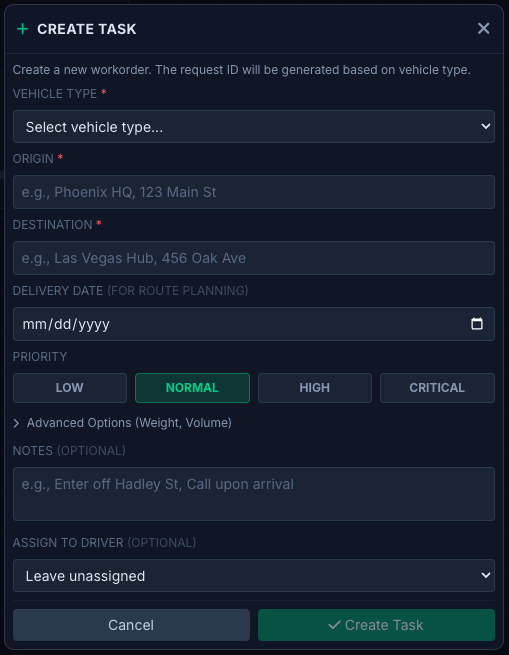
Tasks represent individual delivery assignments. Each task includes:- Origin - Pickup location
- Destination - Delivery location
- Priority - Critical, High, Normal, Low
- Type - Freight, Palletized, RX, Documents, Linehaul
- Time Window - Expected pickup/delivery times
- Special Instructions - Notes for the driver
Task Lifecycle
- Created - Task entered into the system
- Assigned - Driver assigned to the task
- Accepted - Driver acknowledges assignment
- En Route to Pickup - Driver heading to origin
- At Pickup - Driver arrived at origin
- In Transit - Goods picked up, heading to destination
- At Destination - Driver arrived at delivery location
- Delivered - Proof of delivery captured
- Completed - Task closed
Assigning Drivers
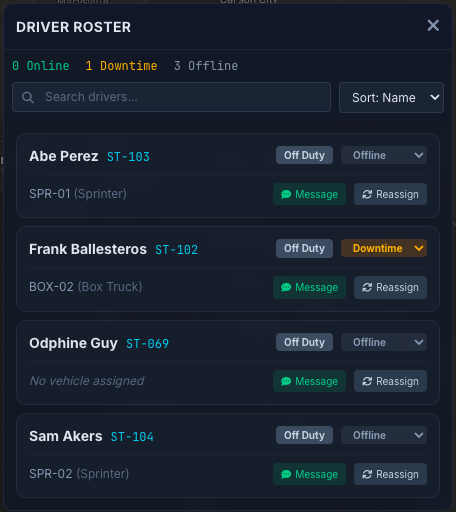
Select an available driver based on:- Current location and proximity
- Vehicle type requirements
- Driver status and availability
- Current workload