> ## Documentation Index
> Fetch the complete documentation index at: https://docs.saguarotransport.com/llms.txt
> Use this file to discover all available pages before exploring further.
# Fleet Tracking
> Real-time vehicle monitoring and tracking
## Live Fleet Map
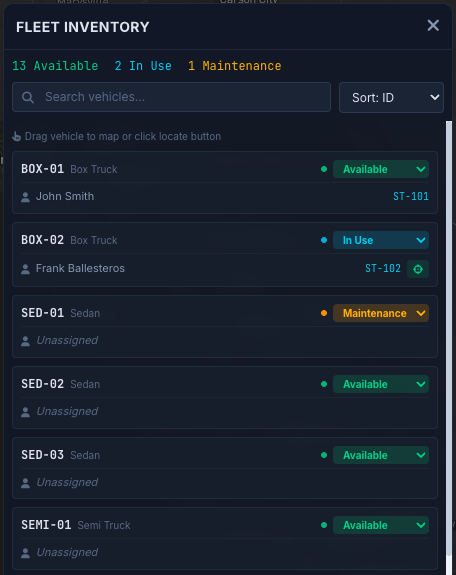
The fleet map displays all vehicles in real-time with:
* **Vehicle markers** showing current position
* **Heading indicators** showing direction of travel
* **Status colors** indicating driver state
* **Route lines** for active deliveries
## Driver Status
| Status | Description |
| -------- | -------------------------------------- |
| Active | Driver is on an active task |
| Idle | Driver is available but not moving |
| En Route | Driver is traveling to pickup/delivery |
| Offline | Driver app is not connected |
 ## Geofencing
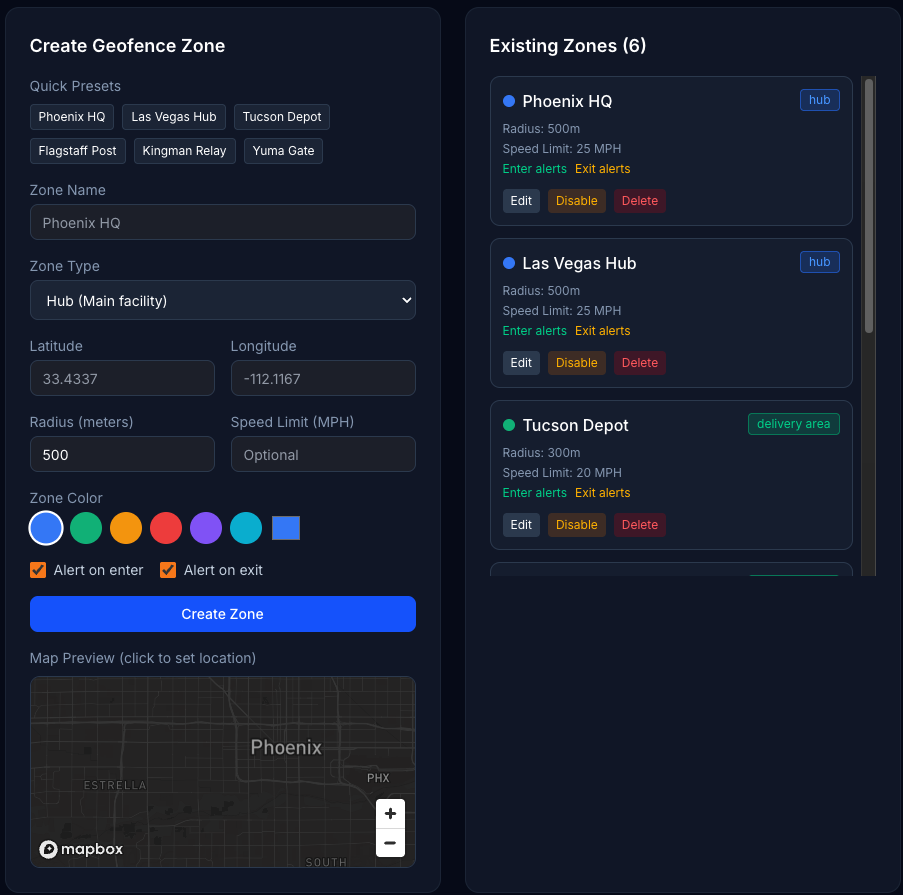
Set up geofenced zones for:
* **Hubs** - Warehouses and dispatch centers
* **Customer locations** - Frequent pickup/delivery sites
* **Restricted areas** - Zones requiring alerts
Receive automatic notifications when vehicles enter or exit defined zones.
## Geofencing
Set up geofenced zones for:
* **Hubs** - Warehouses and dispatch centers
* **Customer locations** - Frequent pickup/delivery sites
* **Restricted areas** - Zones requiring alerts
Receive automatic notifications when vehicles enter or exit defined zones.
 ## Historical Tracking
Review past routes and locations:
* Playback driver routes for any date
* Compare planned vs actual routes
* Audit delivery times and stops
## Historical Tracking
Review past routes and locations:
* Playback driver routes for any date
* Compare planned vs actual routes
* Audit delivery times and stops