> ## Documentation Index
> Fetch the complete documentation index at: https://docs.saguarotransport.com/llms.txt
> Use this file to discover all available pages before exploring further.
# Dispatch & Tasks
> Creating and managing delivery tasks
## Creating Tasks
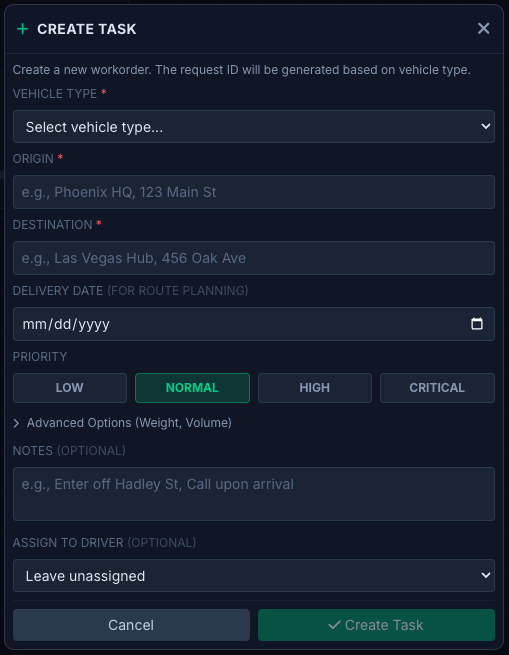
Tasks represent individual delivery assignments. Each task includes:
* **Origin** - Pickup location
* **Destination** - Delivery location
* **Priority** - Critical, High, Normal, Low
* **Type** - Freight, Palletized, RX, Documents, Linehaul
* **Time Window** - Expected pickup/delivery times
* **Special Instructions** - Notes for the driver
 ## Task Lifecycle
1. **Created** - Task entered into the system
2. **Assigned** - Driver assigned to the task
3. **Accepted** - Driver acknowledges assignment
4. **En Route to Pickup** - Driver heading to origin
5. **At Pickup** - Driver arrived at origin
6. **In Transit** - Goods picked up, heading to destination
7. **At Destination** - Driver arrived at delivery location
8. **Delivered** - Proof of delivery captured
9. **Completed** - Task closed
## Assigning Drivers
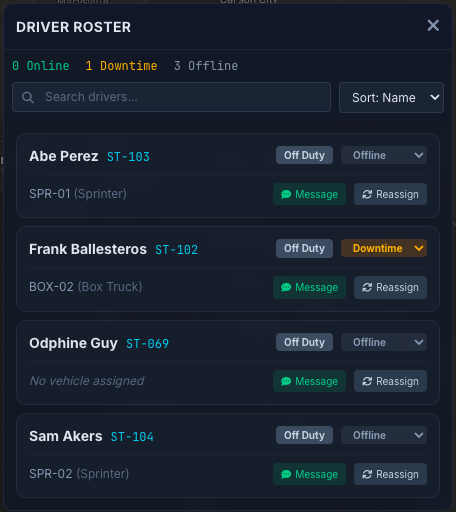
Select an available driver based on:
* Current location and proximity
* Vehicle type requirements
* Driver status and availability
* Current workload
## Task Lifecycle
1. **Created** - Task entered into the system
2. **Assigned** - Driver assigned to the task
3. **Accepted** - Driver acknowledges assignment
4. **En Route to Pickup** - Driver heading to origin
5. **At Pickup** - Driver arrived at origin
6. **In Transit** - Goods picked up, heading to destination
7. **At Destination** - Driver arrived at delivery location
8. **Delivered** - Proof of delivery captured
9. **Completed** - Task closed
## Assigning Drivers
Select an available driver based on:
* Current location and proximity
* Vehicle type requirements
* Driver status and availability
* Current workload